
What is SmartFiles?
SmartFiles PDF & Image Tools is an all-in-one file utility app designed to help users compress, convert, create, search, unlock, and manage PDFs, images, and documents from a single Android application.
One of its main advantages is that most of its file-processing features work offline, meaning users can perform many common file tasks without an internet connection. The app is designed to be lightweight, simple, and easy to use.
Instead of installing separate applications for image compression, PDF conversion, image-to-PDF conversion, and document conversion, SmartFiles brings these utilities together in one place.

App Name
SmartFiles PDF & Image Tools
Developer
tech solver official
Category
Tools
Platform
Android
Content Rating
Everyone
Ads
The Google Play listing indicates that the app contains ads.
Latest listed update
July 11, 2026.
Google Play availability
The app is available through its Google Play listing:
Download SmartFiles PDF & Image Tools on Google Play
Main Features of SmartFiles
SmartFiles focuses on three major areas:
- Image Tools
- PDF Tools
- Document Tools
1. Image Tools
SmartFiles includes several useful image-processing features.
Image Compression
The app can compress images to help reduce their file size while aiming to maintain good image quality.
This can be useful when:
- Sending images through messaging apps
- Uploading images to websites
- Reducing storage usage
- Sharing images through email
- Preparing images for online forms
Image Resize
Users can resize images according to their requirements, including custom width and height.
This can be useful when a website or online application requires a particular image size.
Image Crop
The app also provides an image cropping function, allowing users to remove unwanted portions of an image before saving it.
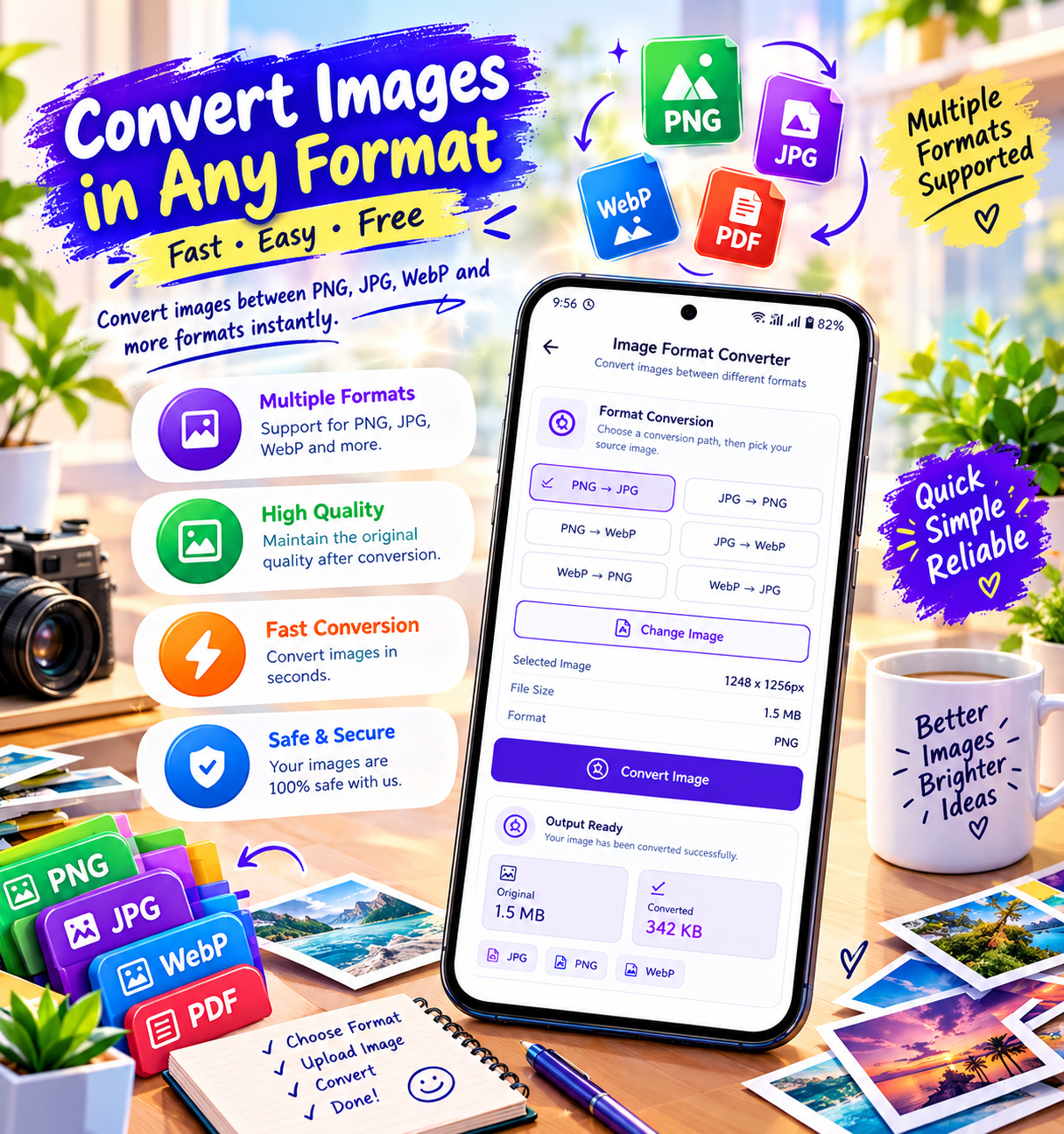
Image Format Conversion
SmartFiles supports conversion between:
- JPG
- PNG
- WebP
This can be useful when a particular website or application requires a specific image format.
Image to PDF
Users can create PDF documents from one or multiple images.
For example, several photos of documents can be combined into a single PDF file.
The Google Play listing specifically describes the app as supporting PDF creation from images.
Want to compress, convert, and manage your PDFs and images in one place? Explore SmartFiles PDF & Image Tools.
2. PDF Tools
SmartFiles also provides several PDF-related utilities.
PDF Compressor
Large PDF files can be compressed to reduce their file size.
This can be helpful when:
- Email attachments are too large
- A website has an upload-size limit
- Users want to save storage space
- Large documents need to be shared
PDF Unlock
SmartFiles includes a feature for unlocking password-protected PDF documents when the user has the appropriate password/access.
PDF Text Search
Users can search for text inside PDF documents instead of manually going through every page.
This can be particularly useful for long documents, reports, notes, and study materials.
PDF to Image
The application can convert PDF pages into image files.
This can be useful when users need to share or use individual PDF pages as images.
Create PDF from Images
Multiple images can be used to create a PDF document.
For example:
Images → SmartFiles → PDF
This can be useful for creating digital copies of receipts, notes, assignments, forms, or other documents.
3. Document Tools
SmartFiles also supports basic document conversion.
DOC to PDF
Users can convert DOC files into PDF format.
DOCX to PDF
The application also supports conversion of DOCX documents into PDF.
TXT to PDF
Text documents can also be converted into PDF files.
This makes the app useful for users who frequently need to turn basic documents into a more shareable PDF format.
Offline File Processing
One of SmartFiles’ important features is offline file processing.
According to the Google Play description, most of the application’s features can work without an internet connection.
This means users can perform many file-related tasks without continuously uploading their documents to an online service.
This can be especially convenient when:
- Traveling
- Working without Wi-Fi
- Using mobile data carefully
- Handling files privately
- Working in areas with poor connectivity

Secure Local Processing
SmartFiles describes its processing as on-device/local processing for its supported features.
This is useful because users often work with documents containing personal or professional information.
However, it is important to distinguish this from the app’s complete data-safety disclosure: Google Play currently says the app may share device or other IDs with third parties, may collect device or other IDs, and says data is encrypted in transit.
So for your website, I would avoid claiming that “no data is ever collected or shared.” The safer wording is:
“SmartFiles performs most supported file processing directly on your device, while Google Play’s data-safety section provides additional information about device or other IDs.”
Who Can Use SmartFiles?
SmartFiles is designed for a broad range of users.
Students
Students can use it to:
- Convert assignments into PDF
- Combine photos into PDFs
- Compress large documents
- Convert documents
- Convert PDF pages into images
Office Professionals
Office users can use the app for everyday document and PDF tasks without needing several different applications.
Teachers
Teachers can use it to convert documents, create PDFs from images, and manage educational files.
Freelancers
Freelancers often need to send documents, proposals, forms, and other files. SmartFiles can provide several basic file utilities from one application.
Business Users
Business users can use the app for common PDF, image, and document-management tasks.
Everyday Android Users
Even users who don’t work professionally with documents can benefit from features such as:
- Image compression
- Image conversion
- Image resizing
- PDF creation
- PDF compression
- PDF-to-image conversion
Need an easy way to convert images to PDF or compress files? Try SmartFiles PDF & Image Tools.
SmartFiles Feature List
| Feature | Available |
|---|---|
| Image Compressor | ✅ |
| Image Resizer | ✅ |
| Image Cropper | ✅ |
| JPG Converter | ✅ |
| PNG Converter | ✅ |
| WebP Converter | ✅ |
| Image to PDF | ✅ |
| PDF to Image | ✅ |
| PDF Compressor | ✅ |
| PDF Unlock | ✅ |
| PDF Text Search | ✅ |
| DOC to PDF | ✅ |
| DOCX to PDF | ✅ |
| TXT to PDF | ✅ |
| Offline Processing | ✅ |
| Local File Processing | ✅ |
| Account Required | ❌ |
These features are based on the current Google Play listing.

Why Choose SmartFiles?
There are several reasons users may prefer an all-in-one application like SmartFiles.
One App Instead of Multiple Apps
Users don’t need to install a separate application for every basic file operation.
Simple Interface
The app is designed around straightforward file utilities rather than complicated editing workflows.
Offline Support
Many supported operations can be performed without an internet connection.
Lightweight Approach
SmartFiles is intended to provide common file utilities without requiring a large collection of separate applications.
Multiple File Types
The application works with PDFs, images, and common document formats, making it useful for different file-related tasks.
No Account Required
The Google Play description states that users don’t need an account or complicated setup to use the application.
SmartFiles vs Using Multiple Apps
Imagine you need to:
Compress an image → convert another image → create a PDF → compress the PDF → convert a document to PDF.
Normally, you might need several different apps.
With SmartFiles, these types of tasks are brought together into one application.
Images + PDFs + Documents
↓
SmartFiles
↓
Compress • Convert • Resize • Crop • Create • Search • Manage

Best Uses of SmartFiles
SmartFiles can be particularly useful for:
- 📄 PDF management
- 🖼️ Image conversion
- 📉 Reducing file sizes
- 📑 Creating PDFs
- 🔄 Converting documents
- 🔍 Searching PDF text
- 🔓 Unlocking accessible password-protected PDFs
- 📱 Managing files directly from an Android device
- 🌐 Working offline for supported functions
SmartFiles for Students
Students can use SmartFiles for everyday academic file requirements.
For example:
Take photos of notes → Convert images to PDF → Compress PDF → Share
It can also help with:
- Assignment submissions
- Project documents
- Study notes
- Scanned pages
- Digital forms
- PDF sharing
SmartFiles for Office Work
Office professionals frequently deal with PDFs, Word documents, images, and file-size restrictions.
SmartFiles can help with everyday tasks such as:
DOCX → PDF
Image → PDF
PDF → Image
Large PDF → Compressed PDF
Large Image → Compressed Image
This makes the app useful as a basic mobile file utility.
Want an all-in-one file management app for Android? Explore SmartFiles PDF & Image Tools.

SmartFiles for Freelancers & Business Users
Freelancers and small businesses often need to send documents quickly from their phones.
For example, a freelancer could:
- Prepare a document.
- Convert it to PDF.
- Compress the PDF.
- Share it with a client.
Similarly, business users can use image-to-PDF and document conversion tools when working remotely.
SmartFiles: Key Benefits
✅ All-in-One File Utility
PDF, image, and document utilities are combined into one application.
✅ Offline-Friendly
Many supported operations can be performed without internet access.
✅ Easy to Use
The application focuses on straightforward file operations.
✅ Multiple Conversion Options
Users can convert images and documents into formats they need.
✅ File Size Reduction
Compression tools help reduce the size of supported images and PDFs.
✅ Useful for Different Users
Students, teachers, office workers, freelancers, businesses, and everyday users can all find practical uses for the app.
Important Things to Know
SmartFiles is primarily a file utility application, rather than a full document editor.
Its main purpose is to provide practical tools for:
Compressing + Converting + Creating + Searching + Managing files.
Also, Google Play currently lists the app as containing ads and provides a data-safety disclosure concerning device or other IDs.
Final Thoughts
SmartFiles PDF & Image Tools is a convenient Android utility for people who regularly work with PDFs, images, and basic documents. Instead of keeping several separate apps for common file operations, users can access multiple tools from one application.
Its combination of image compression, image conversion, image resizing, image-to-PDF, PDF compression, PDF-to-image, PDF text search, PDF unlocking, and DOC/DOCX/TXT-to-PDF conversion makes it a practical all-in-one file utility.
The biggest advantage is its focus on simple and fast file processing, with many supported functions available offline. For students, office professionals, freelancers, teachers, and everyday Android users, SmartFiles can be a useful addition to their mobile toolkit.
Overall, SmartFiles is designed to make everyday PDF, image, and document tasks simpler by bringing multiple essential file utilities together in one app.



Leave a Reply