🖍️ Beginner Mandala Coloring Ideas: Patterns and Designs to Try
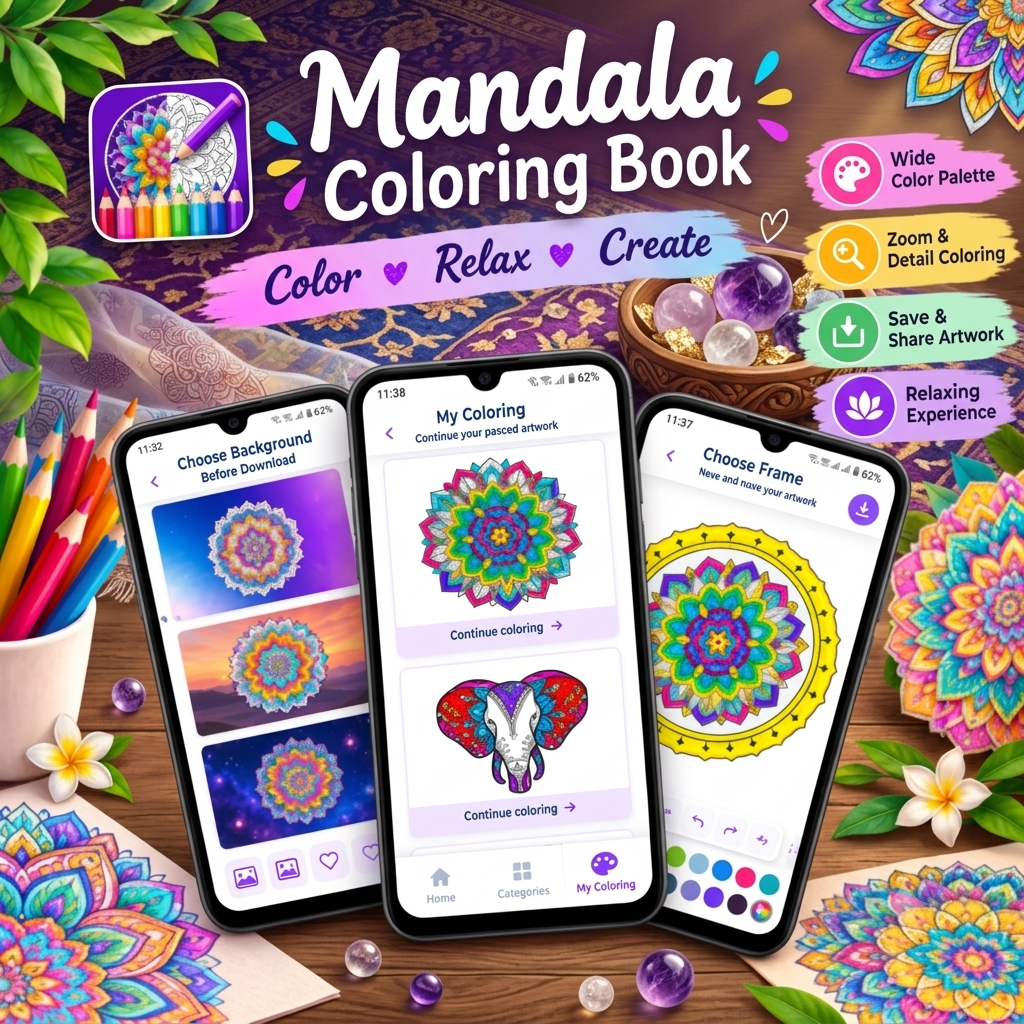
If you enjoy coloring, creativity, and relaxing activities, Mandala – Coloring Book is a fun way to explore colorful artwork directly on your Android device. The app offers hundreds of coloring pages covering different difficulty levels and categories, including mandalas, animals, birds, artwork, and avatars.
Whether you are completely new to mandala coloring or already enjoy digital coloring books, you can experiment with different colors, patterns, and combinations to create your own artwork.
🎨 What Is Mandala Coloring?
A mandala is generally a circular or symmetrical artistic design made from repeating shapes, lines, and patterns. Mandala coloring allows you to fill these sections with different colors and create visually interesting artwork.
For beginners, mandala coloring can be a simple way to start exploring color combinations without needing advanced drawing skills.
With Mandala – Coloring Book, you can choose a design, select colors, zoom into small areas, and gradually complete your artwork.
🌸 About Mandala – Coloring Book
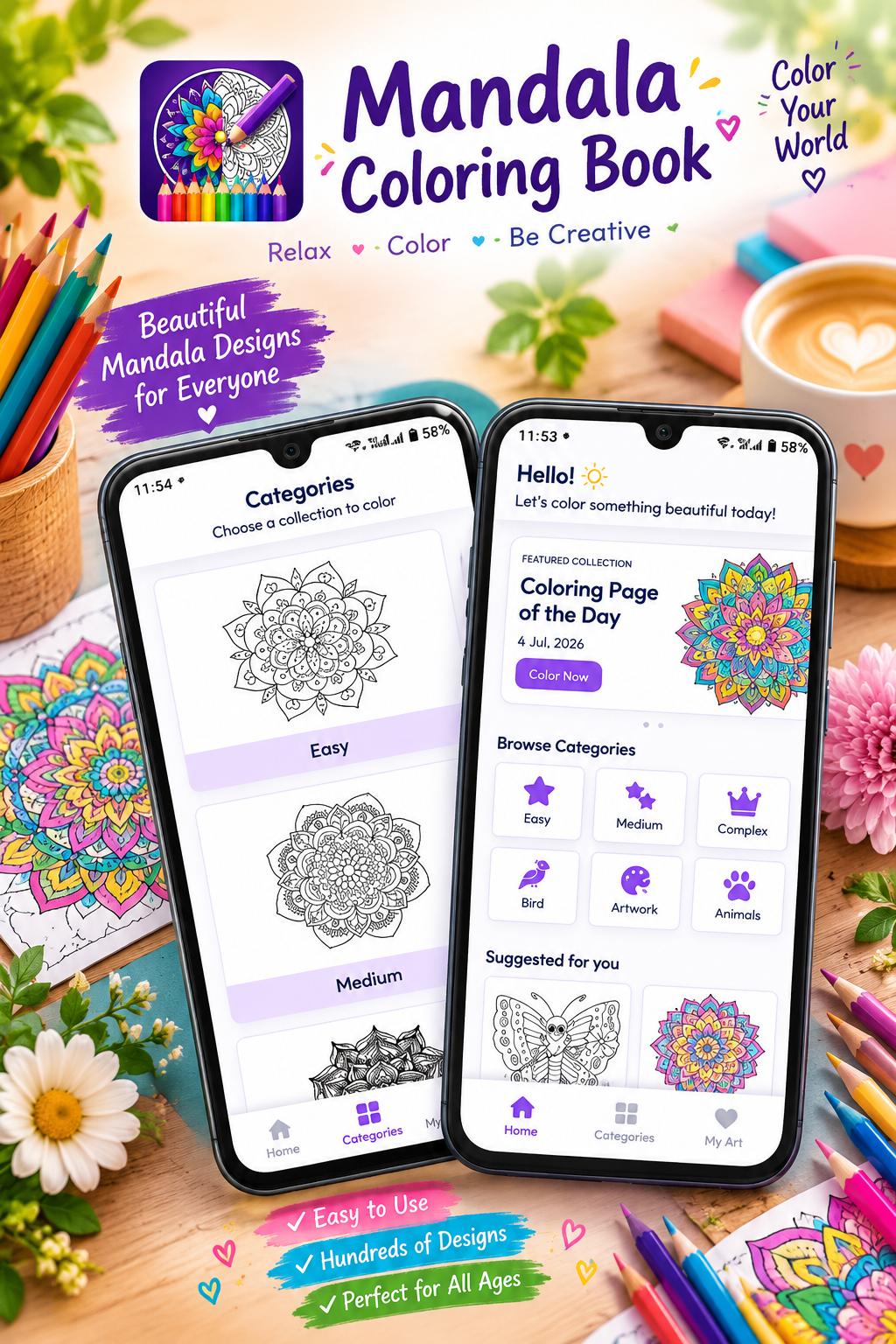
Mandala – Coloring Book is a digital coloring app from tech solver official. According to its Google Play listing, the app includes hundreds of coloring pages and supports different difficulty levels such as Easy, Medium, and Complex. It also includes categories such as Mandalas, Animals, Birds, Artwork, and Avatars.
📱 App Information
- App Name: Mandala – Coloring Book
- Developer: tech solver official
- Platform: Android
- Content Rating: Everyone
- Category: Puzzle
- Contains: Ads
- Offline Support: Yes
- Coloring Levels: Easy, Medium, Complex
- Latest listed update: July 7, 2026
- Google Play: Available for Android
🖍️ Beginner Mandala Coloring Ideas
If you are just getting started, you don’t need to use complicated color combinations. Begin with simple patterns and gradually experiment with more detailed designs.
1. 🌈 Simple Two-Color Mandala
Start with only two colors.
For example:
- Blue + White
- Pink + Purple
- Yellow + Orange
- Green + Blue
Use one color for the main sections and the second color for smaller details.
This is one of the easiest ways to understand how colors work together.
2. 🌸 Floral Mandala Pattern
Try using flower-inspired colors such as:
- Pink
- Purple
- Green
- Yellow
Color the petals using one or two shades and use green for leaf-like sections.
3. 🌅 Warm Color Mandala
Create a warm-looking design using:
Red → Orange → Yellow
Start with darker colors around the outside and use lighter colors toward the center.
4. 🌊 Cool Color Mandala
For a calm-looking design, experiment with:
Blue → Light Blue → Purple
This combination works particularly well for symmetrical designs.
5. 🦋 Rainbow Mandala
Want something colorful?
Try using:
- Red
- Orange
- Yellow
- Green
- Blue
- Purple
Repeat the same color order around different sections of the mandala.
6. ⭐ Center-Focused Design
Make the center of your mandala the main attraction.
Use a bright color in the middle and gradually use darker or complementary colors as you move outward.
7. 🌓 Light and Dark Combination
Choose one bright color and one dark color.
For example:
Light Pink + Dark Purple
Use the lighter shade for larger sections and the darker shade for borders or smaller patterns.
8. 🎨 One-Color Mandala
You don’t always need multiple colors.
Pick one color and use different shades of it.
For example:
Light Blue → Medium Blue → Dark Blue
This creates a consistent and elegant appearance.
🔷 Easy Mandala Patterns for Beginners
When starting, look for designs with larger sections and fewer tiny details.
Good beginner-friendly patterns include:
- Simple circles
- Petal patterns
- Star shapes
- Geometric designs
- Repeating triangles
- Simple flower patterns
- Symmetrical designs
- Large decorative sections
The app includes Easy, Medium, and Complex categories, allowing you to gradually move toward more detailed designs as your coloring skills develop.
🎨 How to Choose Colors for Your Mandala
Choosing colors can sometimes be harder than coloring itself. A simple approach is to choose a theme before you begin.
🌸 Soft & Pastel
Try:
- Baby pink
- Lavender
- Light blue
- Peach
🔥 Bright & Vibrant
Try:
- Red
- Orange
- Yellow
- Bright pink
🌿 Nature Inspired
Try:
- Green
- Brown
- Yellow
- Blue
🌌 Night Theme
Try:
- Dark blue
- Purple
- Black
- Silver or light colors
🌈 Rainbow Theme
Use several bright colors and repeat them throughout the design.
🔍 Use Zoom for Small Details
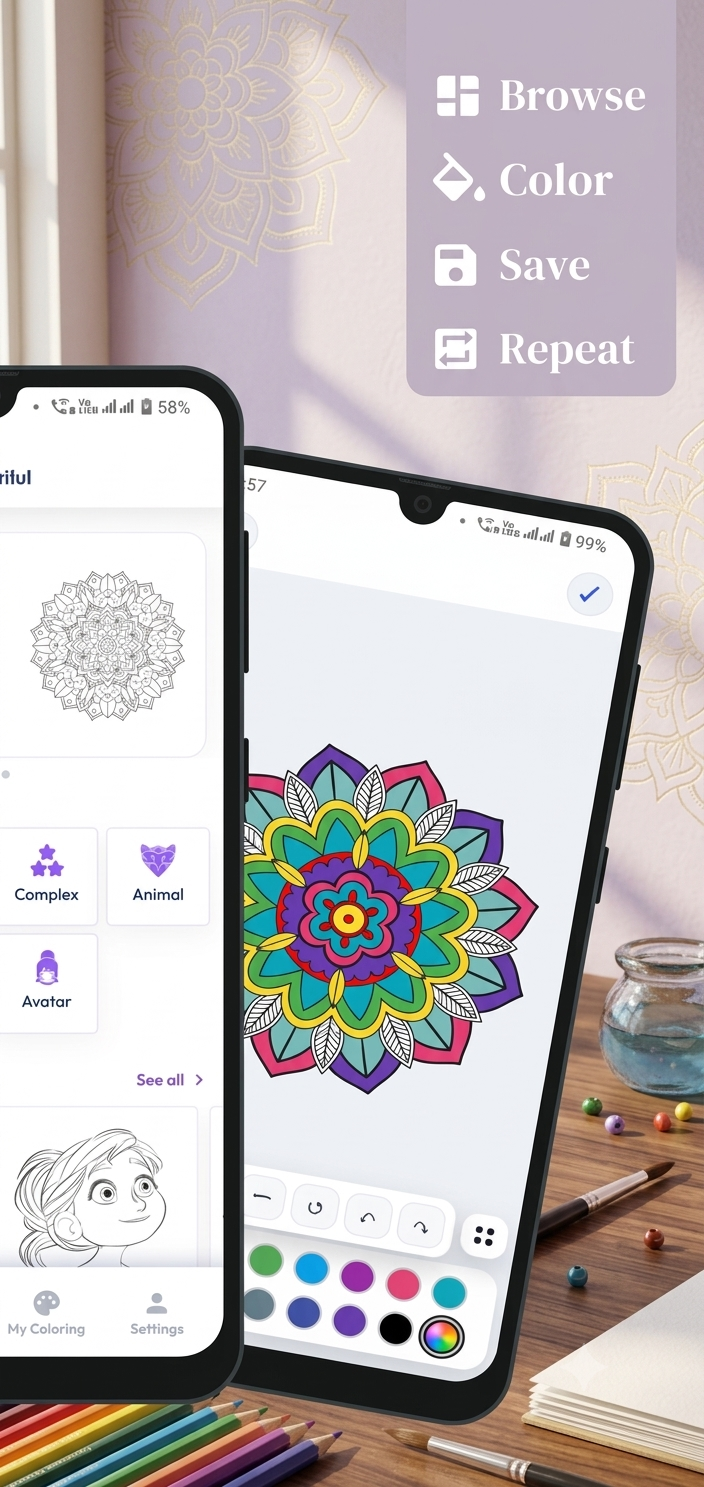
Detailed mandalas can contain very small sections. The app includes a zoom feature so you can enlarge the artwork and color smaller areas more precisely.
A useful technique is:
Zoom out → choose your overall colors → zoom in → color small sections → zoom out again to check the complete design.
This helps you see how individual colors work together as a complete picture.
↩️ Made a Coloring Mistake?
Don’t worry about mistakes.
Mandala – Coloring Book includes undo and redo functions, allowing you to correct changes and experiment with different color combinations.
This makes it easier for beginners to try unusual combinations without worrying about permanently ruining their artwork.
💾 Save Your Artwork
Once you have started a design, you don’t necessarily need to finish it in one sitting.
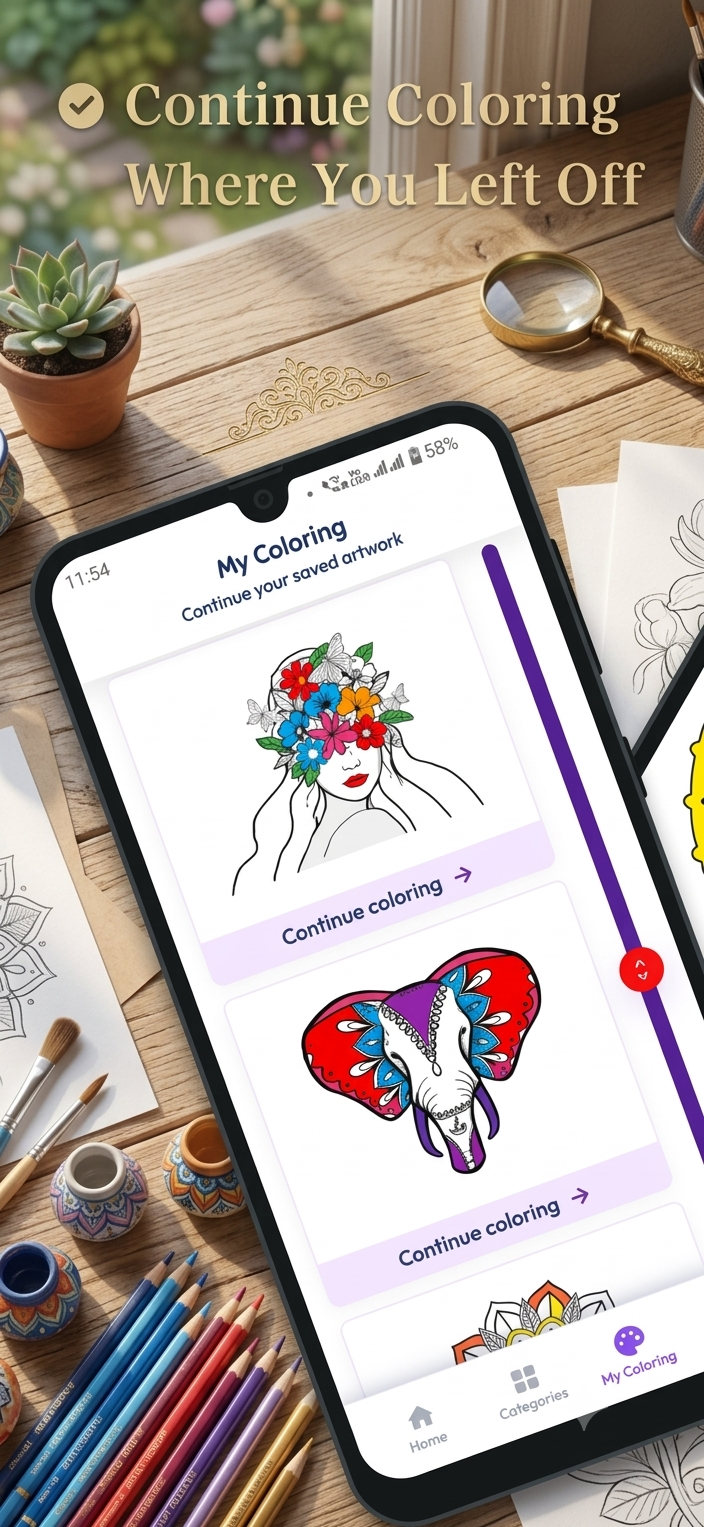
The app provides a save-progress feature so you can continue unfinished artwork later.
This can be useful if you prefer short coloring sessions throughout the day.
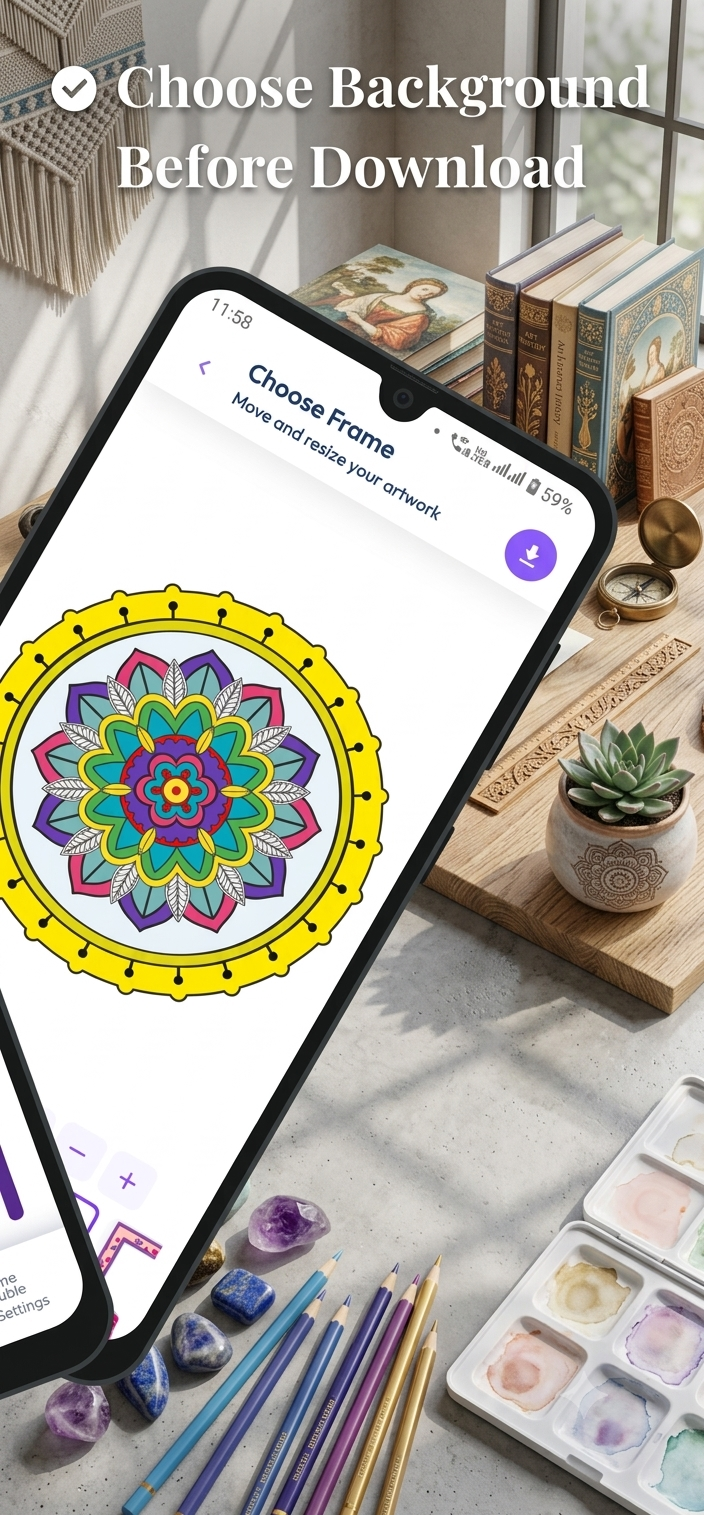
🖼️ Add Decorative Frames
After completing your artwork, you can add decorative frames to give the finished design a more polished appearance.
A frame can make your completed mandala look more like a finished digital artwork.
📱 Color Offline
One useful feature listed for the app is offline coloring support. This means you can enjoy the coloring experience without requiring a continuous internet connection.
This can be convenient when:
- Traveling
- Using limited mobile data
- Relaxing away from Wi-Fi
- Coloring during a commute
🧒 Is It Suitable for Beginners?
Yes. The app’s listing specifically describes its interface as suitable for beginners as well as experienced coloring enthusiasts. It also lists the content rating as Everyone.
Beginners can start with easy designs and move toward medium and complex artwork as they become more comfortable.
👨👩👧 Who Can Enjoy Mandala Coloring?
Mandala coloring can appeal to different age groups and interests.
👧 Kids
Children can experiment with colors and simple designs.
🧑 Teens
Teenagers can create colorful digital artwork and explore different styles.
👩 Adults
Adults can use coloring as a creative break from everyday activities.
🎨 Art Lovers
People who enjoy digital artwork can experiment with different color combinations and patterns.
🧠 Tips for Creating Better Mandala Artwork
Tip 1: Start With Three Colors
Don’t immediately use every color available.
Choose three colors and see how they work together.
Tip 2: Repeat Colors
Repeating the same colors around the design helps create visual consistency.
Tip 3: Create Contrast
Pair light and dark shades to make different sections stand out.
Tip 4: Keep Symmetry in Mind
Mandalas often contain repeating sections. Try using similar colors in matching sections.
Tip 5: Experiment
There is no need to use the same colors every time.
Try unusual combinations and see what you create.
Tip 6: Try Different Difficulty Levels
Start with Easy, then move to Medium, and eventually try Complex designs.
Tip 7: Don’t Rush
Take your time with small sections and use zoom when necessary.
🎯 10 Mandala Color Combination Ideas
Here are some combinations you can try:
- 💗 Pink + Purple + White
- 💙 Blue + Purple + Light Blue
- 🌿 Green + Yellow + Brown
- 🔥 Red + Orange + Yellow
- 🌊 Blue + Turquoise + White
- 🌸 Pink + Peach + Lavender
- 🌌 Navy + Purple + Light Blue
- 🌈 Red + Yellow + Blue
- 🍃 Green + Blue + Yellow
- ✨ Purple + Pink + Gold-style Yellow
📲 How to Start Coloring
Getting started is simple:
Step 1: Download Mandala – Coloring Book from Google Play.
Step 2: Open the app and browse the available designs.
Step 3: Select a beginner-friendly coloring page.
Step 4: Choose your preferred colors.
Step 5: Start filling the different sections.
Step 6: Use zoom for smaller details.
Step 7: Use undo or redo if you want to change something.
Step 8: Save your progress or completed artwork.
Step 9: Add a decorative frame if you want.
Step 10: Continue experimenting with new designs.
🌟 Why Try Mandala – Coloring Book?
The app combines several useful digital coloring features in one place, including hundreds of coloring pages, multiple difficulty levels, a broad color palette, zoom controls, undo/redo, saving progress, decorative frames, and offline coloring.
Instead of needing physical coloring books, pencils, and paper, you can explore different designs directly from your Android device.
🖍️ Final Thoughts
Mandala – Coloring Book is designed for people who enjoy digital coloring and creative artwork. With Easy, Medium, and Complex designs alongside categories such as mandalas, animals, birds, artwork, and avatars, beginners can start with simpler designs and gradually explore more detailed patterns.
Its zoom, undo/redo, save-progress, decorative-frame, and offline features make the coloring process convenient for short creative sessions or longer coloring projects.
If you enjoy experimenting with colors and want to create your own digital artwork, you can explore Mandala – Coloring Book and start coloring one design at a time.
👉 Get Mandala – Coloring Book on Google Play:
https://play.google.com/store/apps/details?id=com.techsolver.mandala


Leave a Reply